All Invitation Card Maker App
Fast Video Downloader & Story Saver - DevBayEvents
4.27.00 Reviews
- Version
- 4.0.4
- Installs
- 5.00M
- Age Rating
- Everyone
Screenshots
Our Review of All Invitation Card Maker App
 Analysis by Appyee
When I choose an invitation app, I first ask a practical question: do I need a quick, attractive card to share, or do I need precise control over a full event identity? That distinction matters more than the number of templates. For a birthday, wedding, or casual get-together, I want a design I can personalize without turning the task into a separate project. For a formal event with strict branding or print specifications, I may be better served by a more specialized design workflow.
All Invitation Card Maker App is aimed at the first kind of job. It is a free events app from Fast Video Downloader & Story Saver - DevBay, with optional in-app purchases ranging from $0.99 to $34.99 per item. Its Everyone age rating makes it broadly accessible, while the app’s focus is clear: making a custom invitation and getting it ready to share. I’d approach it as a handy creative shortcut rather than a replacement for professional layout software.
Start with the invitation you actually need
Before opening a template, I’d settle the essentials: the event name, date, time, location, RSVP details, and the tone I want guests to feel. This simple step saves editing back and forth later. It also helps me choose a design that suits the occasion instead of picking one just because it looks appealing on screen.
For a small gathering, a warm, informal card may be exactly right. A wedding announcement or a milestone celebration can call for more restrained colors and typography. The useful test is whether a guest can spot the important details quickly. A decorative design is only doing its job if the practical information remains easy to read.
Where a dedicated card maker is useful
The strongest reason to use an invitation-focused app is that it keeps the task centered on one finished piece. A general graphics editor can offer broad creative control, but that freedom may mean starting from a blank canvas and making more decisions. Here, templates give me a starting point, and the customization described in the app makes it possible to adapt the card with changes to colors, fonts, photos, and wording.
That balance is especially useful when I’m coordinating an event around everyday responsibilities. If I’m arranging a birthday dinner after work, I can make the invitation the same evening instead of spending hours learning a design tool. I’d still review the wording carefully before sending: an attractive card cannot compensate for a missing venue detail or an incorrect time.
The First Impression
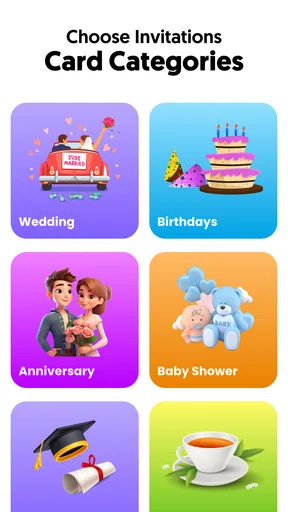
Firing up the All Invitation Card Maker App for the first time, I was greeted with a sleek and straightforward interface. The home screen was inviting (no pun intended), with large, clearly labeled icons that made navigation a breeze. It didn’t take long to realize that this app was designed with the user in mind, focusing on simplicity and ease of use.
Designing Your Invitations
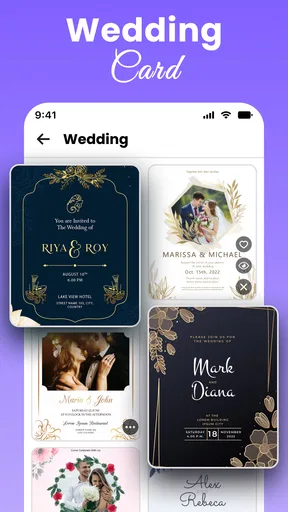
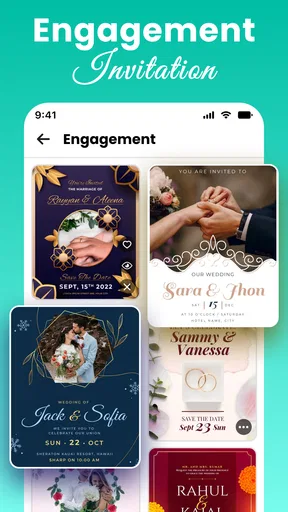
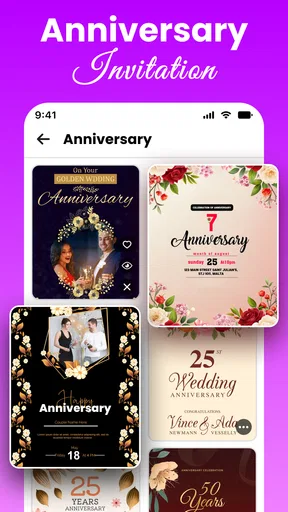
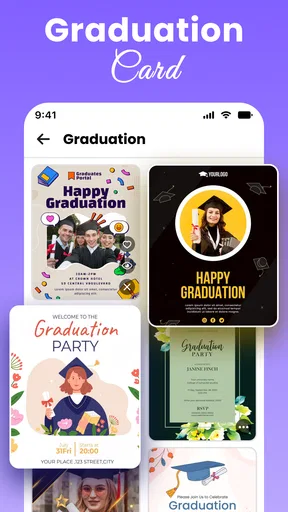
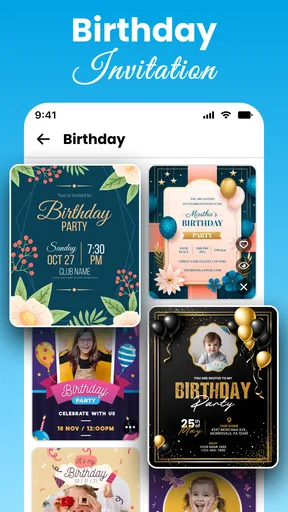
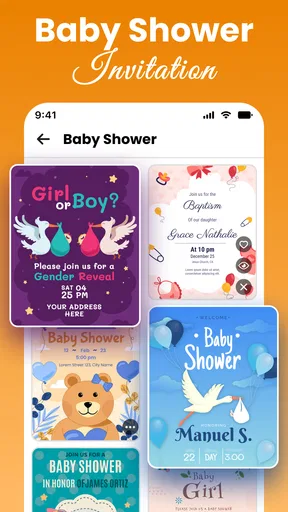
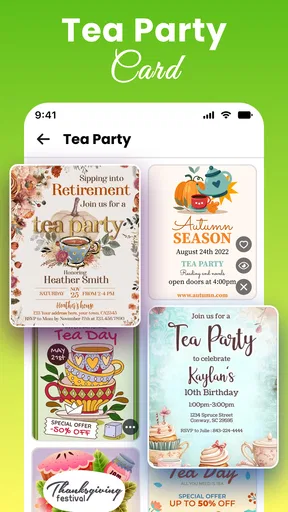
Now, onto the fun part—designing. The app is packed with a plethora of templates catering to virtually every occasion imaginable. From elegant wedding invites to quirky birthday cards, the variety was impressive. I particularly appreciated the level of customization available. Users can tweak colors, fonts, and even add personal touches with photos or special messages. It’s like having a mini graphic design studio in your pocket!
One feature that stood out was the drag-and-drop functionality. It made arranging elements on the card a breeze, even for someone with zero design experience. Plus, the app provides a preview option, so you can see exactly how your invite will look before sending it out.
Make a draft before you share
I find the preview most useful when treated as a proofreading step, not just a final look. Zooming in mentally on the small details—names, punctuation, address, and RSVP wording—can prevent a polished design from carrying a simple mistake to every guest. If the invitation includes a photo, I’d also check that it doesn’t compete with the event information or make the text hard to read.
A good workflow is to make one draft, inspect it at the size guests are likely to see on a phone, and then decide whether the colors and type still work at a glance. If the design feels crowded, I’d remove a decorative element or shorten the message before shrinking the text. That trade-off usually makes a card easier to use, even if it means giving up a little visual flourish.
Sharing Made Simple
After crafting the perfect invitation, the next step is sharing it with your guests. The app offers several options here, from traditional email to direct social media sharing. If you're old-school like me and enjoy the charm of physical invites, the app even allows you to save designs in high resolution for printing. It’s all about flexibility, and this app has it in spades.
Choose the sharing route with care
For a small dinner or a friend’s birthday, sending a digital design can be the quickest route. For an event where some guests are less likely to see social posts, I’d use a direct message or email so the invitation reaches them personally. A printed card can make more sense when the invitation is part of the occasion itself, but I would check the saved design at its intended size before producing multiple copies. Screen previews and paper results are not always identical, so a single test print is a sensible way to catch layout or legibility issues.
One practical detail is to keep the invitation image and the guest list separate. The card can carry the essential details, while a message can handle a personal note or a reminder. That keeps the design uncluttered and makes it easier to update people if plans change. I would also confirm the final date and location before sharing widely, since correcting a card after it has been forwarded can be awkward.
User Experience and Performance
Throughout my time using the app, I found the performance to be smooth and responsive. There were no noticeable lags or crashes, which is always a relief. The app's developers clearly put a lot of thought into optimizing it for both Android and iOS platforms. Furthermore, the app's tutorials and support section came in handy when I needed a quick refresher on certain features.
When a different tool is the better fit
This app’s event-specific approach is convenient, but it is not automatically the right choice for every invitation. Someone who needs exact alignment across a large set of event materials, or who wants detailed control over every layout decision, may prefer a general-purpose graphics editor or a desktop publishing tool. Those options can take more time to learn, but that extra effort can be worthwhile when a card must match menus, signs, programs, or other printed pieces precisely.
At the other end, a plain text message is often enough for a very informal plan with a few friends. If the main goal is to settle a time and place, designing a card may add an unnecessary step. I’d choose this app when the invitation itself should feel considered, not simply when I need to communicate basic logistics.
Who should try it—and who can skip it
I’d recommend it to people who want a personal-looking invitation without beginning from a blank page: hosts planning birthdays, family celebrations, parties, or a wedding-related event can benefit from that guided starting point. It also suits someone who enjoys adjusting colors and wording but doesn’t want to build a complete design system. The app is available on Android, with a minimum OS requirement of version 7.0.
I’d skip it if I needed a highly controlled professional print workflow, a coordinated package of event materials, or just a no-frills text invite. Those needs point toward different tools, not because a card maker cannot be useful, but because the job is different. Being clear about that before spending time on a design helps avoid switching tools halfway through.
Cost, version, and switching without hassle
The app is free to start, and optional in-app purchases are listed at $0.99 to $34.99 per item. I’d decide whether the free experience covers the invitation I want before considering any purchase, rather than assuming every template or customization choice is included. Its current version is 2.6, and it was released on May 14, 2025. The app has a 4.2 average from around 1.7 thousand ratings and more than one million installs, which suggests it has found an audience, though those figures cannot tell me whether a particular design will suit my event.
Switching later is easiest if I keep the event details in a separate note before designing. Then I can reuse accurate wording if I decide a different editor or a simple message is better. I’d also keep the final invitation image somewhere easy to find so I can resend it without rebuilding the card. This small habit matters most when plans change or a guest asks for the details again.
Why You’ll Love It
If you’re someone who loves to add a personal touch to your events, this app is a game-changer. The ability to create professional-looking invitations without the need for expensive software or design skills is what sets it apart. Plus, the app is continually updated with new templates and features, keeping it fresh and relevant.
Moreover, the app’s user-friendly design ensures that anyone, regardless of tech-savviness, can navigate it with ease. And let's not forget the satisfaction of seeing your vision come to life in the form of a beautifully crafted invitation.
Final Thoughts
In a world where digital communication is king, the All Invitation Card Maker App stands out as a powerful ally for anyone looking to make their invitations shine. Whether you're planning a small gathering or a grand celebration, this app provides the tools you need to do it with style.
So, if you’re ready to step up your invitation game, give this app a try. It’s user-friendly, versatile, and just plain fun to use. Happy inviting!
My recommendation is straightforward: choose it when the invitation deserves more care than a quick text, but you want to avoid the overhead of a full design program. For a casual party, a family milestone, or a wedding-related announcement, the template-led approach and sharing options make a practical combination. For brand-perfect print materials or extensive event stationery, I’d choose a more specialized editor instead.
Before committing to a final design, I’d make one version with the essential information only, then add decoration selectively. That gives me a clear baseline and makes it easier to spot whether a photo, font choice, or color change improves the card or merely adds noise. For me, that is the real value of an invitation maker: it helps turn a few event details into something personal without making design the event-planning task itself.
Privacy and Permissions
See what permissions an app requests and how it handles your data.
- Photos/Media/Files
- read the contents of your USB storage, modify or delete the contents of your USB storage
- Storage
- read the contents of your USB storage, modify or delete the contents of your USB storage
- Wi-Fi connection information
- view Wi-Fi connections
- Other
- view network connections, full network access, reorder running apps, control vibration, prevent device from sleeping, Google Play license check
Verdict
Strengths of All Invitation Card Maker App
- User-friendly interface for easy navigation.
- Wide variety of templates available.
- Customizable fonts and colors.
- Quick sharing options to social media.
- Offline mode supported for convenience.
Limitations of All Invitation Card Maker App
- Ads can interrupt the design process.
- Limited free design elements.
- Some templates require in-app purchases.
- Occasional app crashes reported.
- No direct print option available.
Similar Picks in This Category
View All
Easy Quran Mp3 Audio Offline
Muslim Worldapp4.7

Invitation Maker: Cards & RSVP
Greetings Island4.9

StubHub - Live Event Tickets
StubHub4.3

Fever: Events & Tickets
Fever Labs4.7

Epic Freebie Games Radar
Arioch Pds - Apps & Games4.4

Invitation card Maker, Design
Splendid App Maker4.9
Frequently Asked Questions
What features does the All Invitation Card Maker App offer?
The All Invitation Card Maker App provides a wide range of customizable templates for various occasions, including weddings, birthdays, and corporate events. It offers tools for adding text, images, and stickers, and allows users to adjust fonts and colors. Additionally, it supports sharing invitations directly via social media or email.
Is the All Invitation Card Maker App user-friendly for beginners?
Yes, the app is designed with an intuitive interface that guides beginners through the process of creating invitations. With drag-and-drop functionality and easy-to-follow instructions, even users with no design experience can create professional-looking invitation cards quickly and efficiently.
Does the All Invitation Card Maker App require an internet connection to function?
While an internet connection is necessary for downloading the app and accessing online templates, most of its features can be used offline. This means you can work on your invitation designs without worrying about connectivity, making it convenient for users on the go.
Are there any costs associated with using the All Invitation Card Maker App?
The app offers a free version with basic features and templates. However, for access to premium templates and additional customization options, a subscription or one-time purchase may be required. It's advisable to review the pricing details within the app to understand any potential costs.
Can I print the invitations directly from the All Invitation Card Maker App?
Yes, the app allows you to save your completed invitations in various formats suitable for printing. You can either print them directly if your device is connected to a printer or save them to a cloud service to print later. This feature ensures your invitations are ready for any format you choose.
